AI Powered Customer Discovery
10 ways to accelerate your team's customer discovery process with AI
Hey there 👋 This guide is a preview of some of the content from my course, AI Productivity, which is designed to help product managers bring AI fluency to every aspect of their role, whether it’s customer discovery, prototyping, product strategy, or execution. Next cohort starts April 7th. Learn more.
Andrew Ng, the founder of Coursera and DeepLearning.ai, recently made a provocative statement: the bottleneck in product development is no longer engineering, it’s now product management. For the entire history of product management, we’ve been waiting on engineers to build the product. But with AI coding tools like Claude Code, Cursor, and Codex, engineering teams now have extraordinary leverage. The delivery side of product development has been dramatically accelerated.
The challenge is that building great products has always been about both delivering the solution and discovering what’s worth building. So far, product teams are not seeing the same acceleration on the discovery side as we are on delivery. In fact, I’m now seeing product managers who simply can’t keep up with their engineering counterparts. When that happens, one of two bad outcomes typically transpires. Progress is either meaningfully constrained or engineering teams are simply shipping features that haven’t actually been validated with customers. No one is happy with either outcome.
The exciting news is that AI is now emerging as a powerful accelerant for customer discovery as well. These tools and capabilities aren’t yet as advanced as the coding tools on the delivery side, but they are rapidly improving.
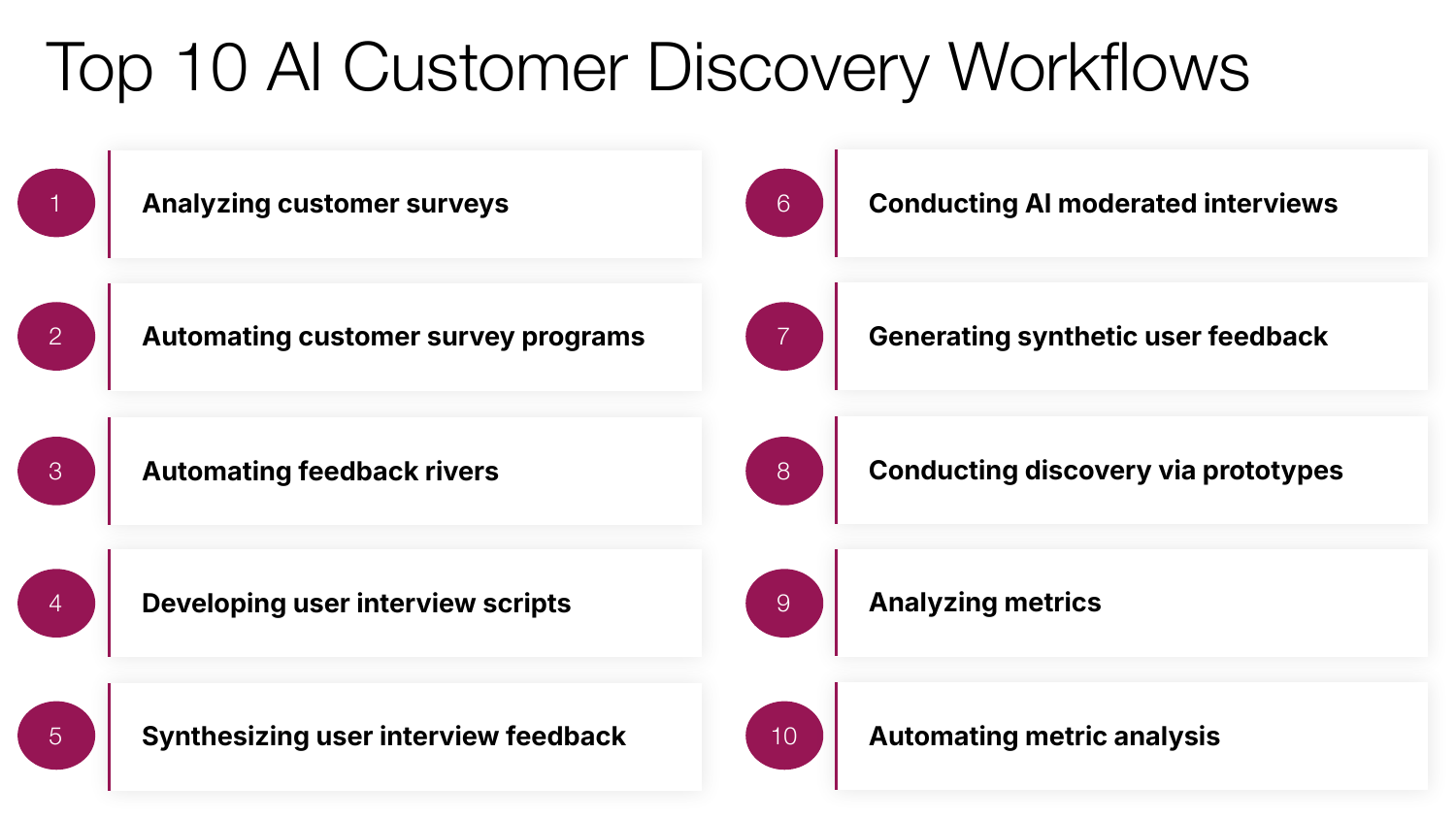
Given the discovery constraint, I conducted a deep dive to understand just how teams could leverage these new AI powered discovery workflows. I’ve been experimenting with these approaches on my own product management process at Notejoy and I’ve found 10 AI workflows that are genuinely transforming how I approach customer discovery.
In this comprehensive guide I’ll walk you through each of the workflows, share how they meaningfully accelerate my discovery efforts, the AI tools I’ve found most useful for them, as well as best practices for getting great results.
My hope is that you’ll walk away with a handful of new AI powered workflows that you can immediately bring back to your team to accelerate your own discovery efforts.
Analyzing Customer Surveys
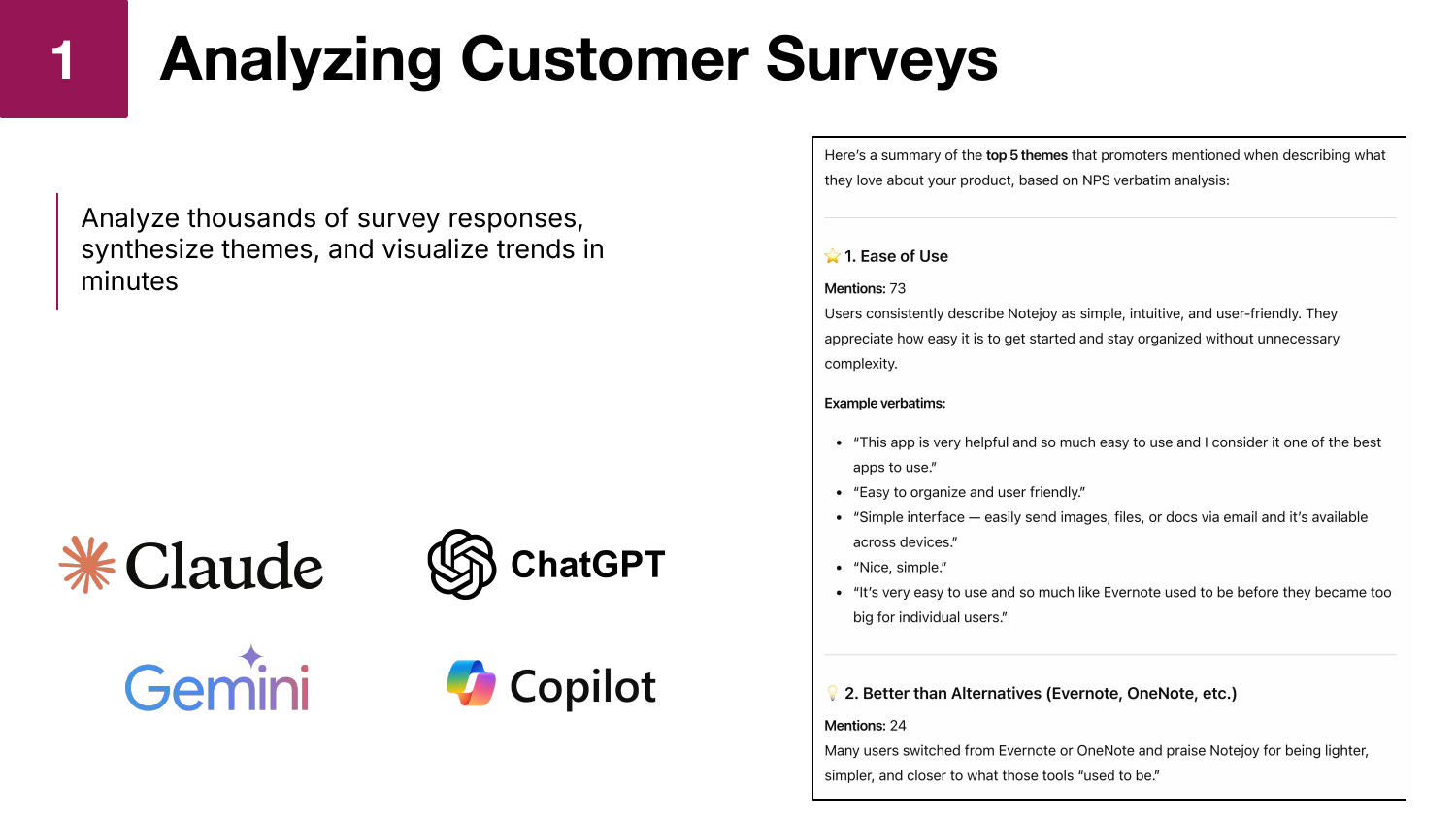
The first workflow is using AI to synthesize feedback from customer surveys. You can now take thousands of survey responses, have AI synthesize the most frequent themes, and visualize the results in minutes.
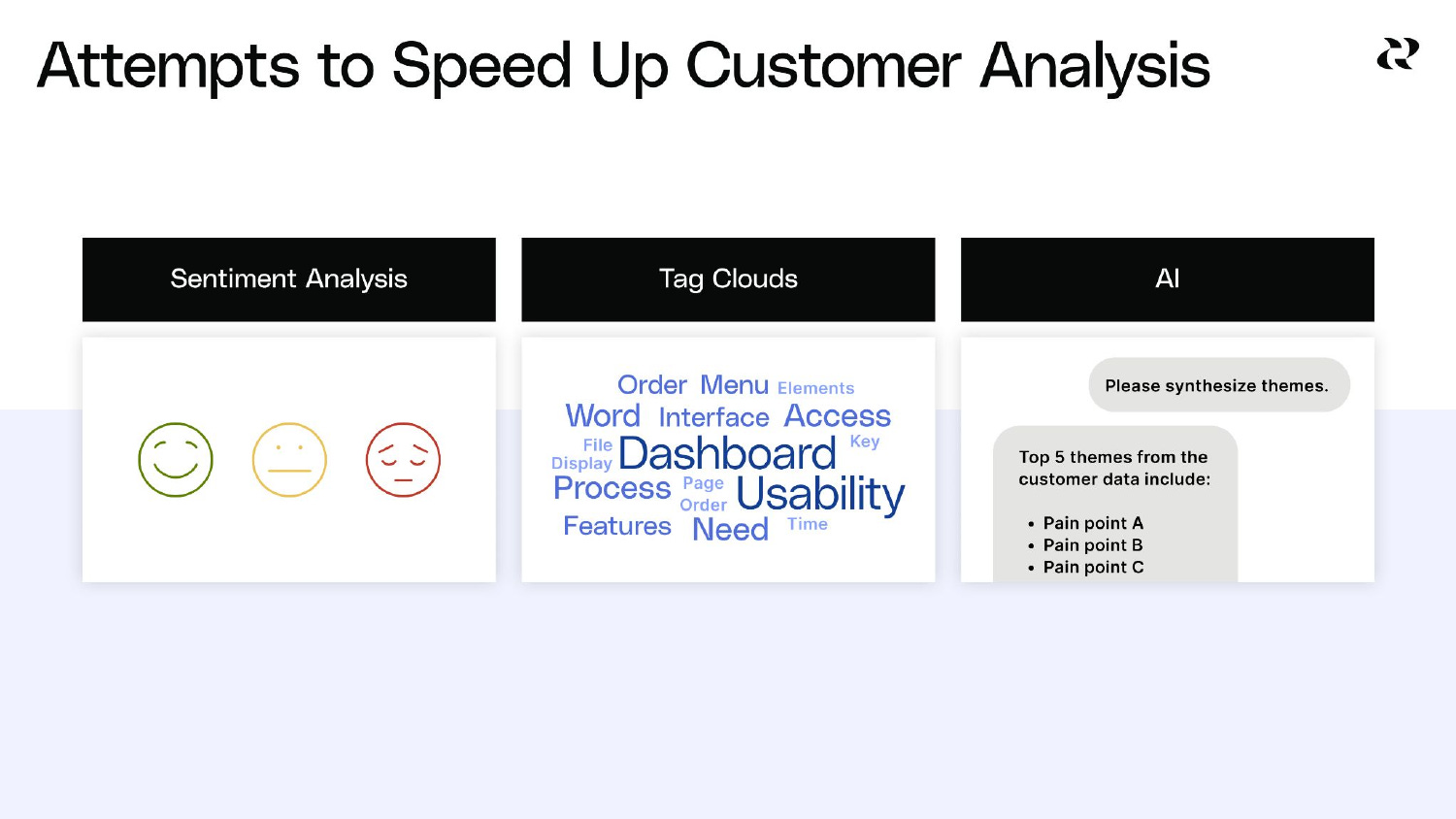
I think sometimes, because I now use AI every day, I have to remind myself just how revolutionary this actually is. Just a couple of years ago, the best technology we had for analyzing surveys was sentiment analysis, which could tell you whether a response was positive, neutral, or negative. Not particularly actionable. We then moved to tag clouds, which surfaced frequent keywords across the surveys. Again, still not actionable enough. It still meant that someone had to read every survey response, collate the feedback, and manually create themes. I did this work all the time.
But now generative AI has actually become incredibly good at taking raw survey responses and generating thematic insights. If you tried this a year ago and thought the results weren’t very good, it’s night and day improved. I’ve compared my own manual synthesis of customer survey themes against AI-generated synthesis and not only does it find very similar themes, but has even surfaced valuable insights I hadn’t initially spotted myself.
The practical impact of this capability is enormous. When I ran NPS surveys at LinkedIn, I could only do it quarterly because I had a team of marketers spending an entire week gathering results and reading through a thousand survey responses. Now I can run NPS surveys far more frequently.
What’s equally powerful is that AI allows you to run unlimited segmentation analyses. At LinkedIn, I might ask my team for two or three segmentation cuts. Now I can run 15 segmentations because it only costs me another line of typing. I can segment by usage patterns, by subscription type, by email domain, and even ask for statistical significance calculations on each comparison. All of this is automatically done for me.
All of the popular AI chatbots — ChatGPT, Claude, Gemini, and Copilot — are great for analyzing customer surveys, so you can easily leverage whatever your team is already using to accomplish this.
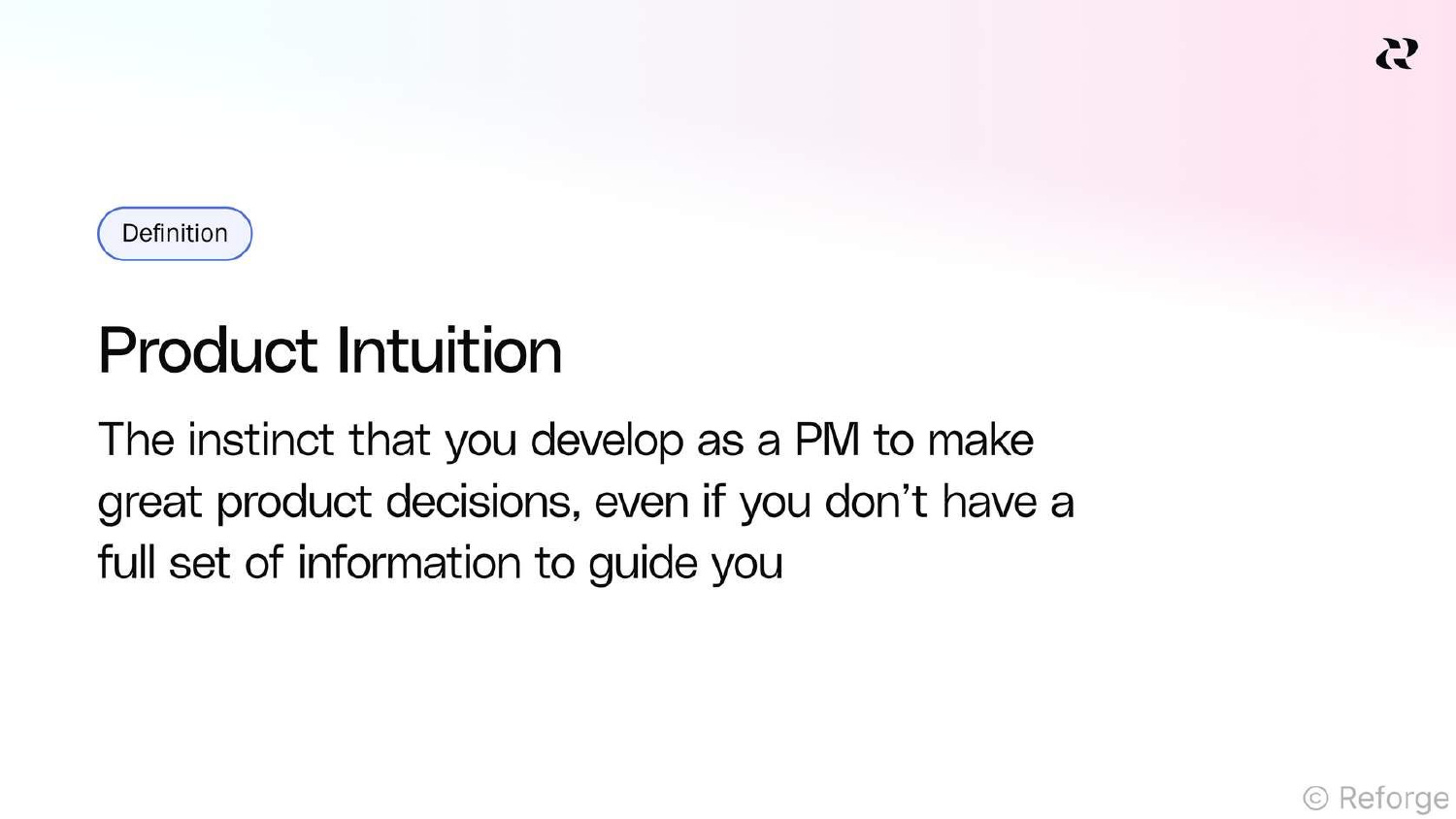
One word of caution here. As product managers, we need to continually build our product intuition to enable us to make smart decisions every day in the absence of data. I like to think of product intuition as our own machine learning model that we build by reading customer feedback, pattern matching across it, and synthesizing those patterns into working insights. AI is great at this, but we need to stay in the loop. That means when AI generates themes, I always ask it to show me the exact customer verbatims underneath each theme. I’m not just relying on its commentary and summarization. I want to directly hear and interrogate the voice of the customer. By consuming that direct feedback, I continue to build my own intuition while relying on AI to do the heavy lifting of aggregation and summarization.
Automating Customer Survey Programs
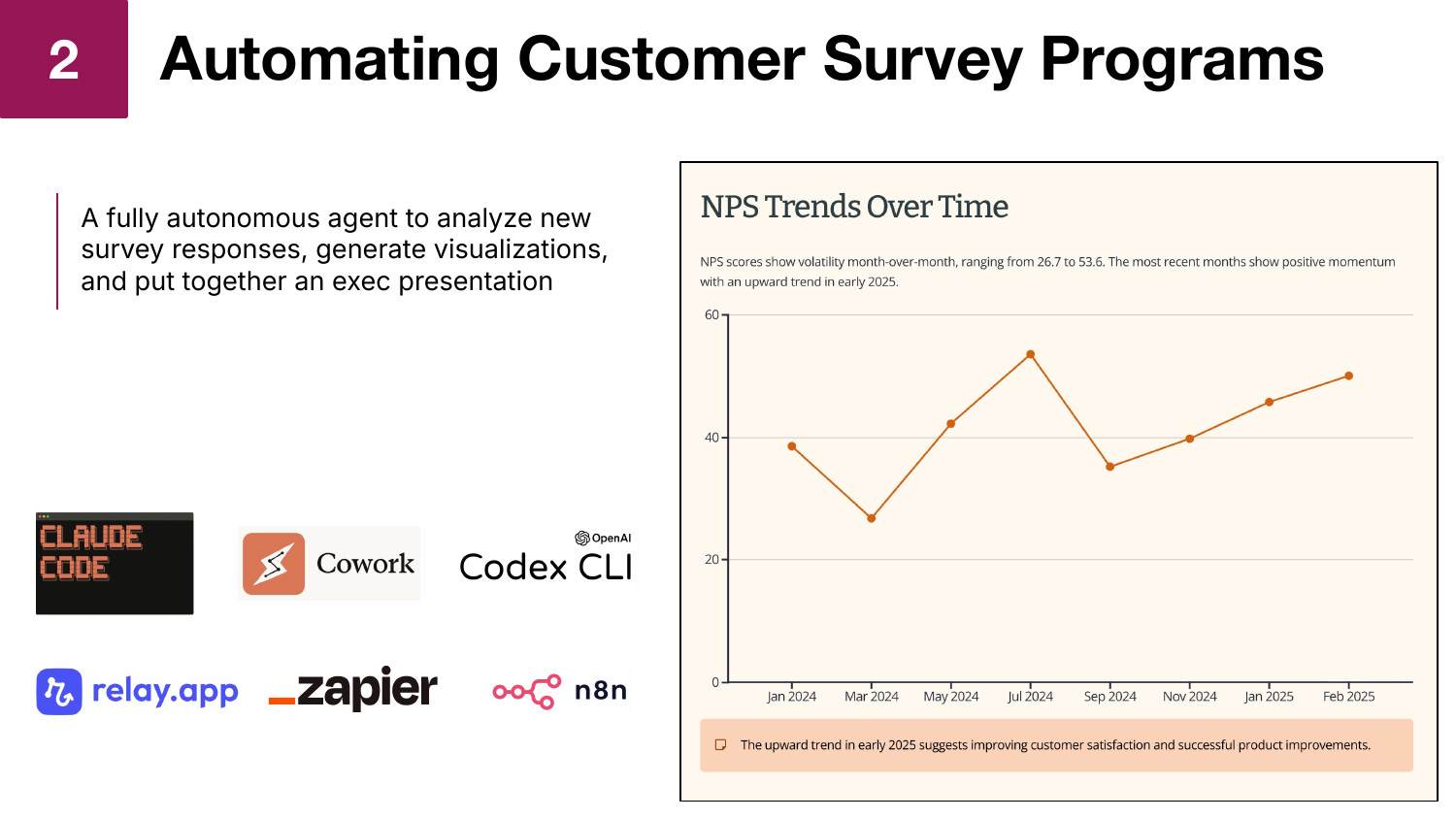
The ad hoc analysis I described above is incredibly powerful and useful, but I’ve taken it a step further by fully automating the process with an autonomous agent that produces weekly NPS survey reports for me without any manual intervention.
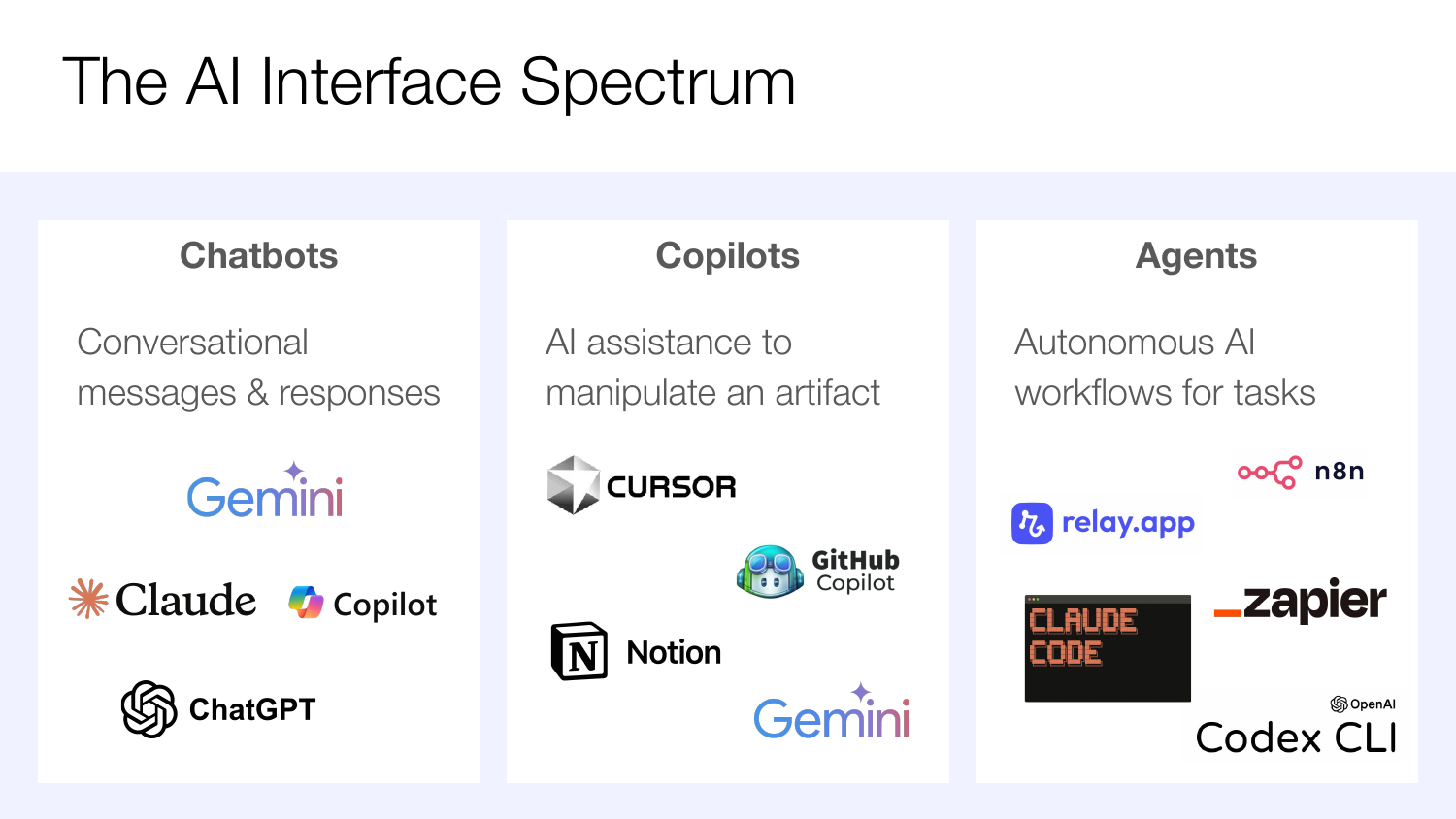
To understand this approach, it’s helpful to think about the full spectrum of AI interfaces that now exist. We started with chatbots, which have now become ubiquitous. With these tools, you give them a prompt and get back a quick answer. We then innovated with the introduction of copilots, where AI shows up as a sidebar to help you directly manipulate an artifact, whether that’s code in Cursor, a Notion document, or a Google Sheet. The third category, which is really taking off right now, are agents: autonomous AI workflows that can run end to end without requiring your input.
I’ve built an agent using Claude Code that takes my NPS survey results file, runs the full numerical analysis, generates promoter and detractor verbatim themes, produces an interactive HTML report, and even creates an executive presentation using Gamma, an AI presentation tool. The entire workflow is defined in a skill file written in plain English that describes each step the agent should follow.
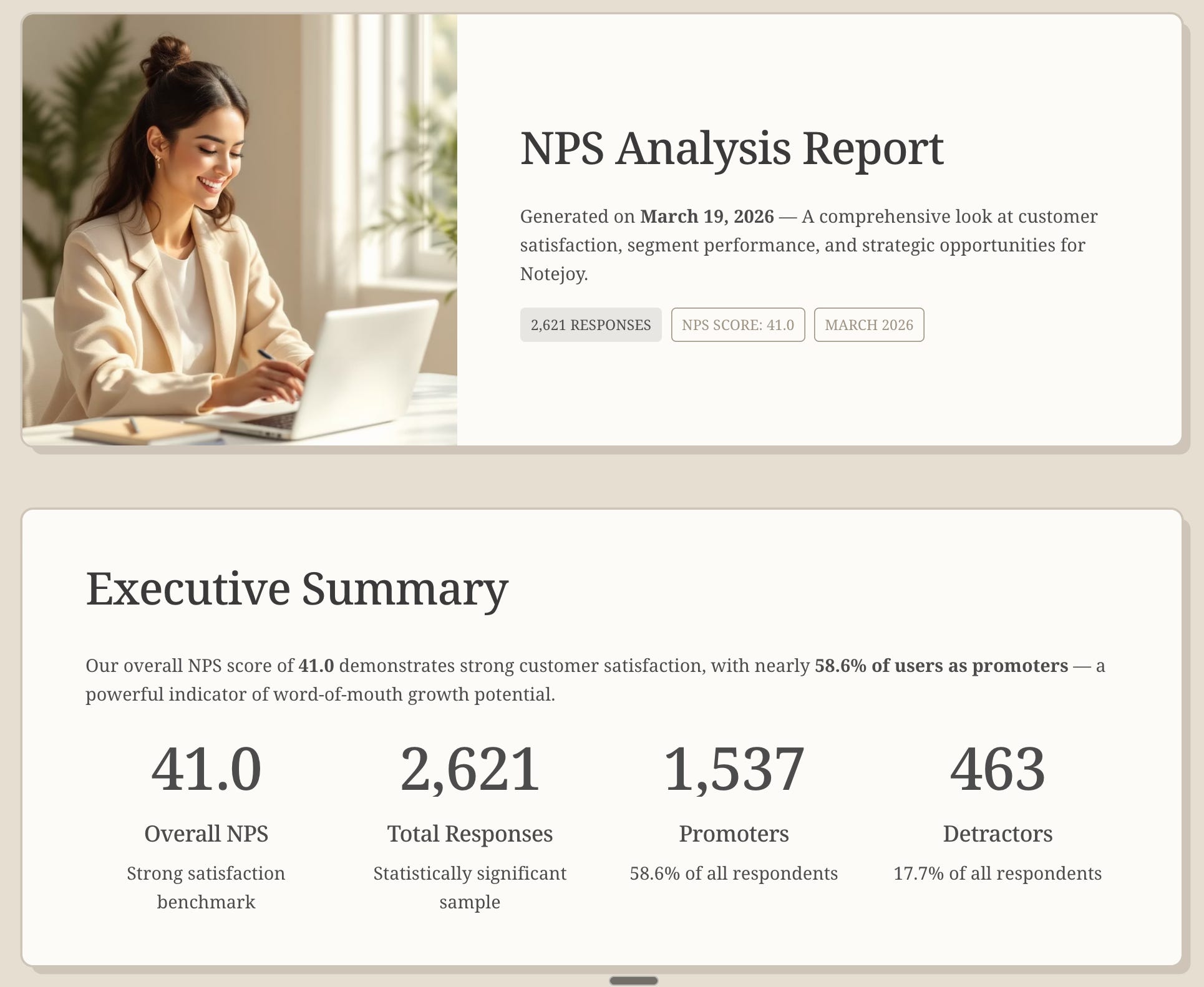
The output is a fully automated executive report that includes NPS scores, interactive trend graphs, segmentation analysis, verbatim themes, voice of customer quotes, and even product improvement recommendations. I used to produce this kind of report quarterly at LinkedIn because it took a team of real people a week to put together. Now I do this weekly. I just download the latest NPS results, kick off the agent, and get a polished report delivered automatically.
I’ve come to prefer coding agents like Claude Code and Codex as my preferred way of building agents these days. But an equally viable approach is to leverage the workflow automation tools like Relay.app, Zapier, and n8n for building end-to-end autonomous agents. I’d encourage you to try building a workflow both ways and deciding which approach feels easier to you.
Automating Feedback Rivers
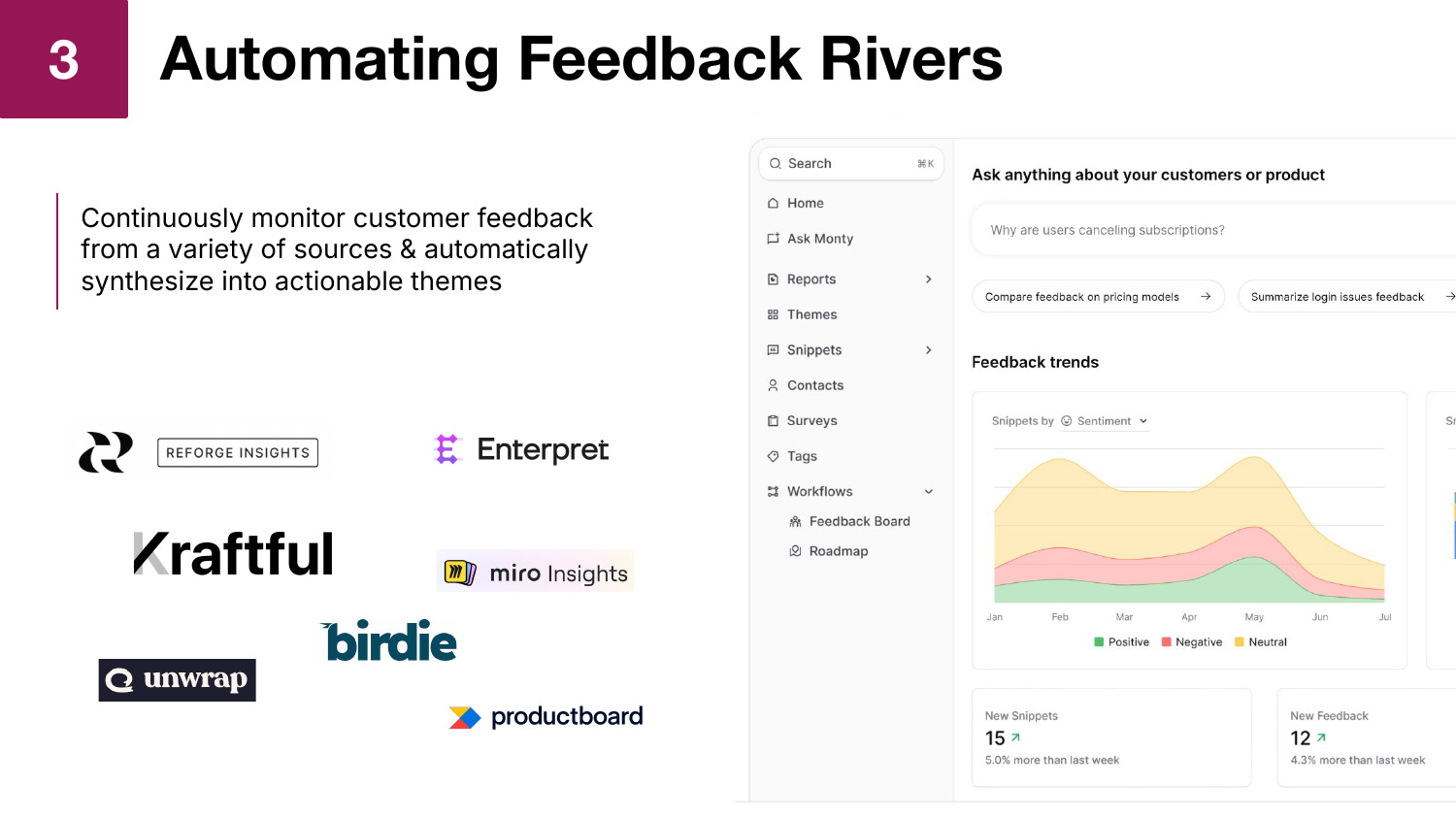
There’s a new category of tools that have recently emerged that are fantastic at customer discovery that I call feedback rivers. The idea is simple: aggregate customer feedback from a variety of sources, put it all in one place, and continuously monitor it. Maybe it’s pulling in your App Store reviews, Google Play reviews, G2 reviews, Zendesk tickets, or even Reddit discussions. The tool aggregates all of it and uses AI to automatically synthesize themes across all that feedback.
There are many tools in this category, including Reforge Insights, Enterpret, Kraftful, Birdie, and Productboard Pulse. They all have different features, but the core value proposition is the same: automated, continuous insight into customer sentiment across every channel.
What I find particularly valuable about these tools is the ability to see themes trending over time. If I see an issue trending up, I might decide to then take it more seriously. After we implement a fix, I can see in real time whether the volume of related complaints actually is going down. It gives me a continuous pulse on what’s happening with my customers.
I can also click into any theme and see exactly which customers said what. If we decide to investigate an issue further, I know exactly who to reach out to. I have their email address and can send a targeted outreach to 20 customers who experienced the same pain point. In this way, these tools act as a feedback CRM, allowing me to understand exactly who is experiencing particular issues, the value of those particular customers to our business, and the ability to close the loop to turn a feature implementation into a customer win.
Developing User Interview Scripts
When I was at LinkedIn and we were going to interview customers, I’d work with my user researcher to draft the interview script. They’d help ensure the questions were unbiased, that I wasn’t leading the customer, and that the script followed interviewing best practices. What I’ve now found is that I can get AI to do exactly what my user researcher used to do for me in generating a high-quality interview script.
The key insight here is that you can’t just ask AI to give you interviewing best practices. It does a mediocre job with that. But when you point it to great examples and established best practices, it does a fantastic job.
Here’s my approach. I start by asking AI to summarize the actionable best practices from The Mom Test by Rob Fitzpatrick, which I consider the definitive playbook on how to conduct customer interviews well. AI reads every summary and review of the book available online and distills it into a detailed two-page summary of best practices. Then I ask AI to generate a well-crafted customer interview guide leveraging all those best practices, and I provide it with my specific research brief describing what I’m investigating, who my target customers are, and what pain points I’m exploring. The result is an incredibly well-crafted interview script that follows all the best practices around avoiding leading questions, focusing on past behavior rather than hypotheticals, and structuring conversations to surface genuine insights.
All of the popular AI chatbots — ChatGPT, Claude, Gemini, and Copilot — are great for developing user interview scripts, so you can easily leverage whatever your team is already using to accomplish this.
Synthesizing User Interview Feedback
Synthesizing user interview feedback has historically been one of the most time-consuming parts of the customer discovery process. You conduct 10 customer interviews and then someone has to listen to each one, summarize the key themes, and most importantly, find the patterns across all 10 of them. That’s hours if not days of work. This is exactly why product management has become the bottleneck, because the engineers can have Claude Code build the app, but we still have to deal with this human interaction element.
What I’ve now found is that AI tools are getting really good at taking long-form interviews and synthesizing cohesive themes from them. My two favorite approaches right now for doing so are using NotebookLM and Claude Code.
NotebookLM is interesting because you can literally hand it video files or audio recordings and it will transcribe them and let you start asking natural language questions against the transcripts. I give it a structured prompt: summarize each interview including why the company is interested in our tool, what pain points they’re currently experiencing, what other tools they’ve tried, what they like about our tool, and what concerns they have. For each question, I ask it to include a direct verbatim quote that captures the essence of their feedback. It faithfully does this for every interview.
With Claude Code, I’ve taken this even further by building an automated skill that takes my folder of interview video files, transcribes them using OpenAI Whisper, summarizes each interview against a structured template, and then finds patterns across all of them. The output includes individual interview summaries with key takeaways, pain points, feature requests, and direct quotes, as well as an executive summary showing the themes that emerged across all interviews, including how many times each theme was mentioned.
I highlighted both of these approaches because you can easily get started with NotebookLM today for free and have your first set of insights in 15 minutes. Whereas the Claude Code approach gives you the benefit of full workflow automation, but does take more setup time to build the required skill and requires a Claude Pro subscription.
This is real workflow leverage at work. Anytime we get another batch of interviews, I rerun my agent and get the synthesized insights without spending hours doing the manual work.
Now the most common question I get about using this approach is if AI can now automate every aspect of running customer interviews, how do I make sure I'm still building my product intuition?
This is an important question and really gets at the nuance of how I use these AI tools. Historically we have spent an inordinate amount of our time conducting customer research - developing interview scripts, recruiting, scheduling interviews, conducting the interviews themselves, reading the feedback, and synthesizing them into themes. All of this was in service of the ultimate goal - garnering deep customer insights that could significantly improve our products.
Now with AI, I spend far less time on the production of customer research and far more time actually mining that research for insights. I read through the synthesized findings, then I ask LLMs follow-up questions given they have access to the raw transcripts. Then based on the particular verbatims that were pulled out, I start diving into particular interviews and watching the videos myself. All of this is to say I'm actually spending far more time deeply engaging with customer feedback and determining what the product implications are compared to before, when the lion share of my time went to research production.
And keep in mind, at no point do I actually trust AI to come up with what to do in the product based on the research. That's my job.
So when used thoughtfully, AI can actually significantly enhance your ability to build your own product intuition.
Conducting AI-Moderated Interviews
Now we’re getting to some of the more cutting-edge workflows. We’ve talked about how AI can generate our interview script and synthesize feedback from completed interviews. But you still have to manually conduct the interviews yourself. Or do you?
There’s a fascinating emerging category of tools called AI-moderated interviews where the AI actually conducts the interview on your behalf. Tools like Reforge, Listen Labs, Outset, and Maze are building in this space.
Here’s how it works: You set up a high-level interview script and optionally include concept mockups, and then the AI conducts a conversational interview with your participant. What’s powerful is that it responds dynamically, just like a good researcher would. If the participant mentions they’re using alternative tools like Obsidian or Notion, the AI notices that and probes deeper into that thread. It’s not just reading scripted questions; it’s responding to what the person is telling it and following up intelligently.
Is this as good as a human researcher? Not quite yet. But here’s what makes it incredibly powerful: I can send 10 of these out tonight and have the feedback summarized by the time I wake up tomorrow morning. That’s way more powerful than the traditional process of scheduling mutual availability for 10 live interviews. The way these tools work, I send participants a link, they complete the interview on their own time, and I get synthesized results.
This is also unlocking research that simply wouldn’t happen otherwise. At LinkedIn, our research budget was so limited that unless it was a major redesign or a brand new feature, I wasn’t getting any resources to talk to customers. There were so many smaller features that we had no feedback on at all. We went with our gut, shipped it, and waited for customers to react. Now those scenarios can actually get quick feedback through moderated interviews.
The way I use this in practice is additive, not a replacement. I’m still doing as many personal interviews as I always did, but now I’m augmenting my capability to get research on many more aspects of the product.
Generating Synthetic User Feedback
Now this is truly the bleeding edge of AI generated customer feedback. The idea is to make AI so smart that it can simulate real-world users, and then ask that AI simulator to respond to product concepts and give feedback.
Companies like Synthetic Users have raised significant funding to pursue this vision, and tools like Reforge have built this capability as well.
Here’s how I’ve used it: I describe my study goal, define specific personas that represent my target customer segments with detailed descriptions of their behaviors and attitudes, and then point the synthetic users at a real prototype. The AI spawns virtual users that actually click around the product, experience it as a real user would, and then provide feedback based on their persona.
The feedback I get is genuinely useful, particularly for usability-style insights. For example, when I tested a prototype of an Ask AI feature for Notejoy, the synthetic users flagged that the AI entry point was hidden before clicking on a note, that the 5-20 second response times would be unacceptable, that the chat sidebar needed example prompts to help users know what to type, and that users would want to ask questions across multiple notes, not just a single note. These are real, actionable usability insights that I got before talking to a single real user.
Now, is this going to help you solve for product-market fit? Definitely not. You still need to talk to real customers for that. But how many features do we ship without even this level of usability feedback? Getting this kind of feedback and handing it to your designer to improve the experience is still very valuable.
Conducting Discovery via Prototypes
Now that we can create fully functional prototypes with AI prototyping tools, we have entirely new avenues for conducting customer discovery. Instead of showing a mockup to our users, we can hand them a fully functional prototype and mine it for real behavioral insights.
I’ve found several ways to gather discovery insights from live prototypes. The first is in-product surveys. When users interact with the prototype and close out the feature, they’re presented with a built-in survey asking about their experience. This gives me immediate qualitative feedback contextualized by their actual hands-on experience with the feature.
The second is retention metrics. Because the prototype is functional, I can instrument it and measure whether anyone comes back to use it a second time. If I hand someone a prototype and they said they love it, but they never use it again, that tells me something important. If they come back the next day, that’s an incredible data point.
The third is session replays and heat maps. Using tools like these, I can watch exactly how users interact with the prototype, seeing where they click, where they get confused, and where they abandon a flow. I can see heat maps showing which UI elements get attention and which get ignored. For example, when testing the Notejoy Ask AI prototype, I discovered that everyone clicked the Ask AI button in the top right corner and nobody clicked the floating action button in the bottom right. That contradicted my intuition since floating action buttons are a common pattern, but the data made the design decision obvious.
Before AI prototyping, getting this kind of behavioral data required engineering to build a prototype and instrument the metrics. Now all of this is in the hands of a product manager or designer well before handing off to engineers. That’s a huge unlock for the discovery process.
You can accomplish this in any of the popular prototyping tools like Bolt, Lovable, v0, and more. The key is a great data analytics package. I personally love PostHog because it gives you everything we described in one place: in-product surveys, product metrics, session replays, and heat maps. And even offers a generous free plan. But many of the alternative analytics packages work as well. You can just tell your prototyping tool to integrate PostHog and it will walk you through all the remaining steps.
Analyzing Metrics
I’ve found that AI has now eliminated the constraint on how many data questions I can explore. At LinkedIn, I had an entire data team that could answer my questions and yet I felt constrained. I’d have 10 questions in my head, but had to pick and choose 3 to have the team investigate. And then I’d get a nicely formatted report back a week later.
Now I can ask AI my data questions in natural language and get back the SQL query, the results, and a beautiful visualization in minutes. The way this works is through Model Context Protocol (MCP), an open-source standard that allows AI tools to directly access external data. Within months of MCP’s release, virtually every data provider created an MCP server: MySQL, PostgreSQL, Oracle, SQL Server, Elasticsearch, Firebase, and data warehouses. This means I can connect Claude directly to my database and have it write queries on my behalf.
For any data curiosity I have, I just ask in natural language and get back a complete dashboard with the question, the SQL query it ran, an interactive visualization, and the raw data table. No data curiosity goes unanswered anymore because it’s so quick to ask.
You’ll want to use an AI tool with strong MCP support in order to perform this data analysis. Claude and Claude Code are my favorites. ChatGPT also offers robust MCP support at this point. While Gemini and Microsoft Copilot are currently lagging in capabilities.
One important note: getting high accuracy out of the box takes some additional work. I’ve found two techniques that make this reliable. The first is custom instructions. When the AI makes a specific mistake, like using the wrong column in a table, I add an instruction in plain English to correct it. The second is example queries. I have my data team create a set of natural language questions paired with the correct SQL. The AI then follows those patterns for every subsequent query. Between these two techniques, I’ve now gotten incredibly high accuracy.
Automating Metric Analysis
The final workflow takes data analysis a step further. Instead of asking ad hoc questions, I’ve built an autonomous agent that auto-generates weekly dashboards, key insights, and executive summaries.
What’s fascinating about this automated dashboard approach is that I’m not writing SQL queries and injecting them into a dashboard tool the way most teams do. I list out 10 natural language questions in English, and the agent goes and writes the SQL, runs the queries, generates the visualizations, and produces a polished dashboard. Every week I get an updated report with fresh data and charts, all auto-generated from those plain English questions. And when I have additional questions I want to add to the dashboard, I just update that natural language list of questions.
This is saving me significant time and giving me continuous visibility into the metrics that matter for my product without the overhead of maintaining traditional BI dashboards.
Coding agents like Claude Code are my favorite approach for implementing this. I’ve built a skill that enables me to simply type /generate-weekly-dashboard and all my dashboards are updated. I can even schedule this in Claude Code to run automatically. Alternatively, the workflow automation tools like Relay.app, Zapier, and n8n can also be used to build this automated workflow.
To make sure my weekly reports are comparable across weeks, I have my skill save the SQL query it generated and re-run it on future report runs. This way it can’t generate slightly different SQL the next time around that might make the subsequent week results incomparable with the previous week.
Maintaining Product Taste in an AI-Powered World
Across all 10 of these workflows, one principle remains constant: AI should accelerate the production of research, not replace the human judgment that acts on it. I use AI to synthesize customer feedback, surface themes, and analyze data. But the value isn’t in generating the report. It’s in reading it, digesting it, and deciding what to do about it.
I’ve seen some people try to take AI end to end, from research to product spec to prototype, taking the human completely out of the loop. I’ve tried it. The results are AI slop. AI can’t come up with genuinely good product ideas on its own. Where it excels is getting you the synthesized insights faster, so you can apply your human judgment to the hard questions: what should we build to solve this specific pain point? How should we prioritize across these competing needs?
I hope this gives you a detailed look at the 10 AI-powered workflows that I’ve found to be most impactful for customer discovery. Whether it’s surveys, interviews, moderated interviews, or analytics, all of these help us as product people understand what we should build faster so we can keep up with our AI-empowered engineering counterparts. I encourage you to pick up at least a couple of these workflows and bring them back to your team to start accelerating your discovery process today.
Whenever you’re ready, here are 3 ways I can help:
AI Productivity: Learn how leading product managers use AI to become faster, smarter, and gain super powers beyond their traditional role.
Mastering Product Management: Accelerate your product career by learning rigorous frameworks for each PM deliverable, from crafting a strategy to prioritizing a roadmap.
Product Innovation Strategy: Building a new product? Learn how to leverage the Deliberate Startup methodology, a modern approach to finding product/market fit.


